
TASKS. FLOWS. CLARITY.
Keep tasks on schedule.
Keep workflows in view.
Connect scripts, SQL, API calls and data processing in visual workflows. Manage schedules, execution history, logs and approvals in one place.
01 / Sync and validate
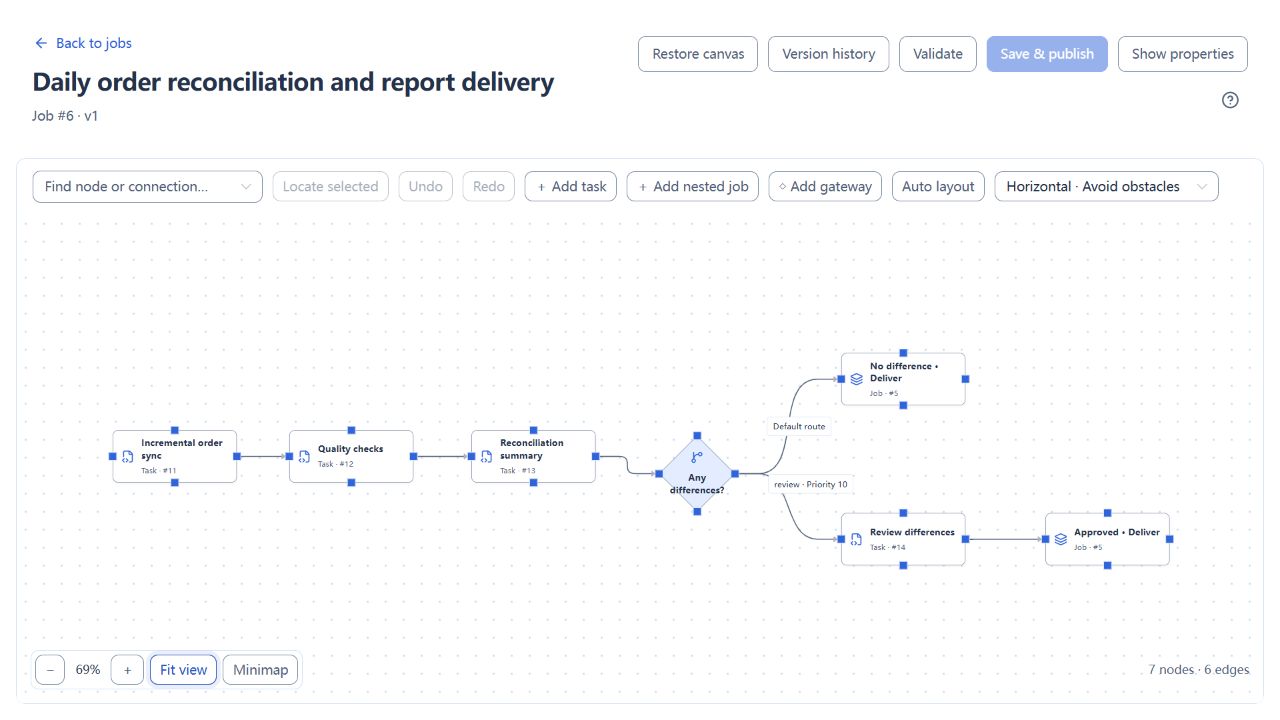
02 / Route by reconciliation result
7 nodes · Conditional routing · Reusable child job
After approval, the original instance continues
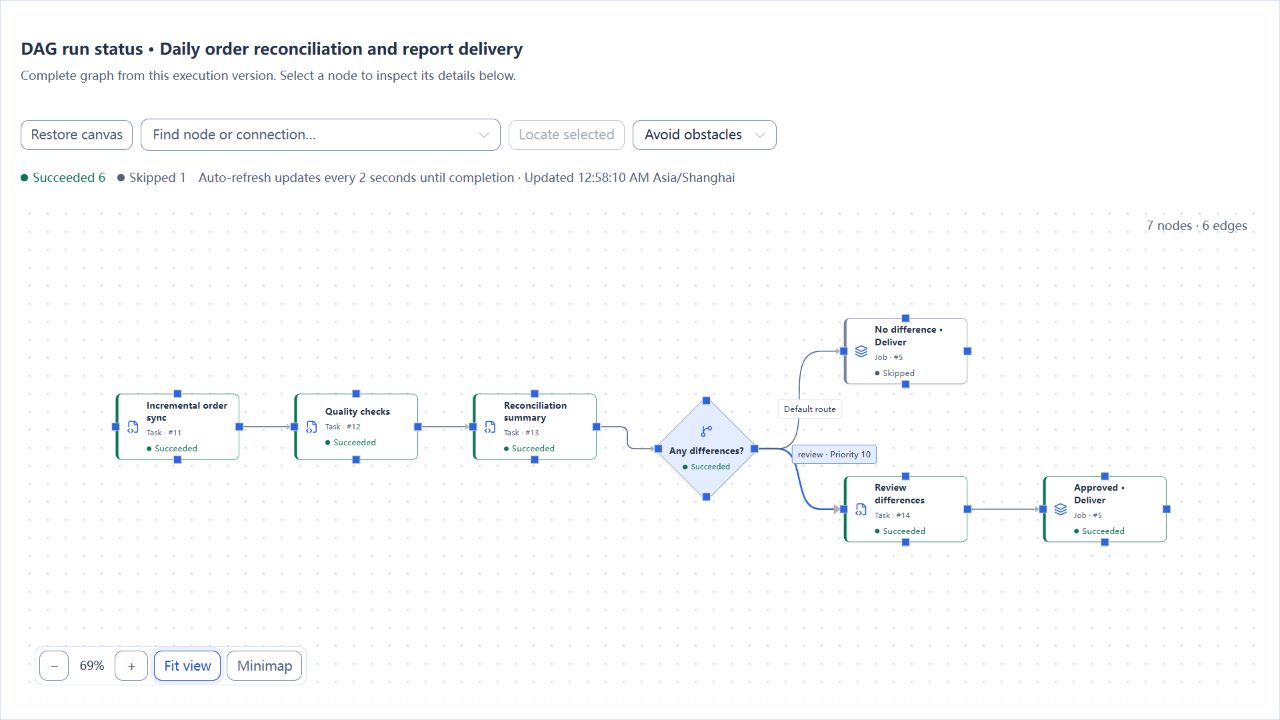
Actual run · Synthetic orders · Open a detail for the original
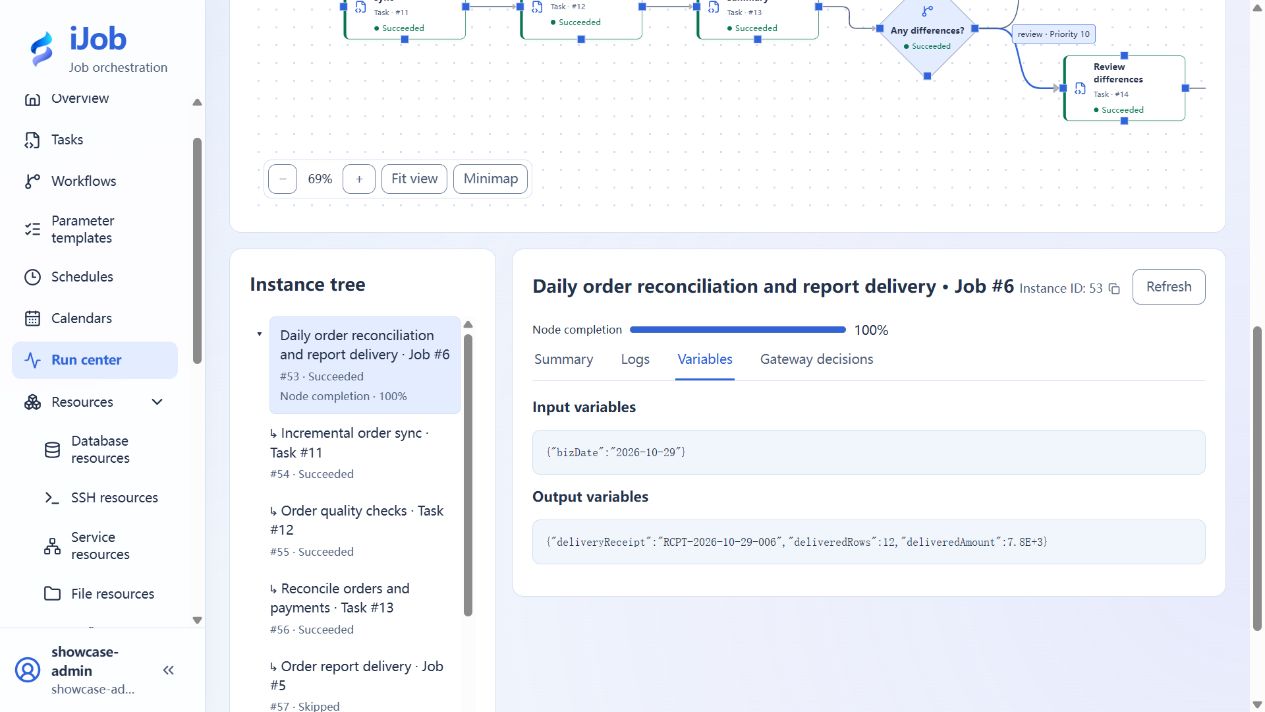
Business date 2026-10-29 · Receipt matches file contents
FOLLOW THE EXECUTION
See how a workflow moves forward.
Explore three outcomes of one workflow: progress, waiting and failure.
Follow synthetic orders through synchronization, checks and delivery.
Complete upstream work before selecting a route
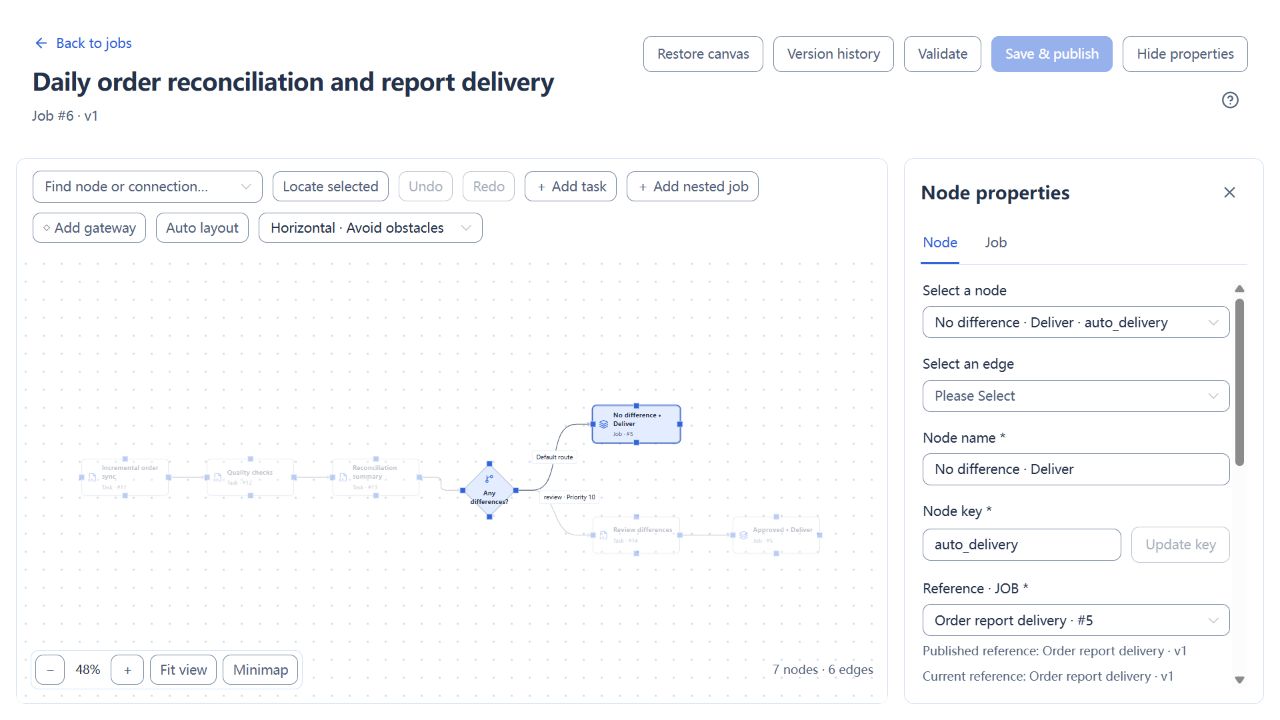
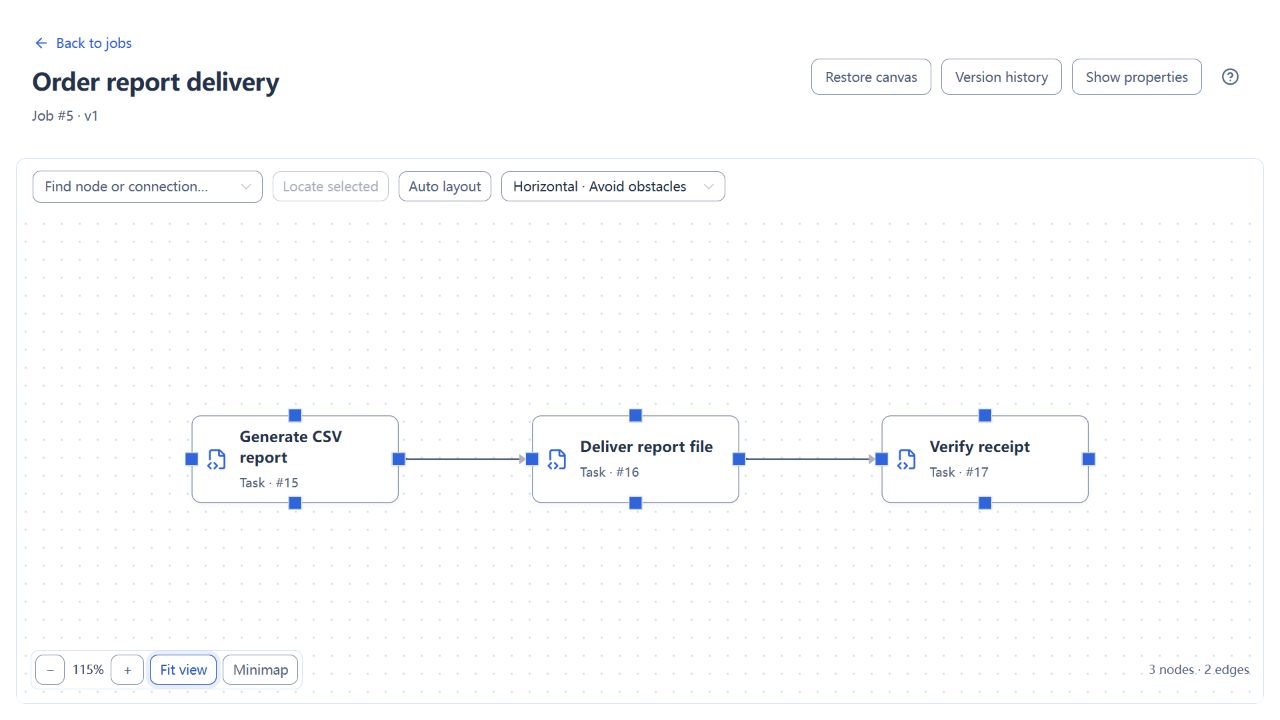
Both parent routes reuse the same published child job.
DESIGN WITH CLARITY
Make dependencies
clear.
Traceable versions
Open Version to inspect the delivery node’s fixed reference to child job v1.
Dependencies and branches
Sync, validate and reconcile in order. Differences require review; a clear result goes straight to delivery.
Reusable child jobs
Both routes reuse CSV generation, file delivery and receipt verification, maintained in one child job.
OBSERVE EVERY RUN
From execution state
to business result.
Locate in the graph
Follow the executed route through waiting, completed and skipped nodes.
Logs and variables
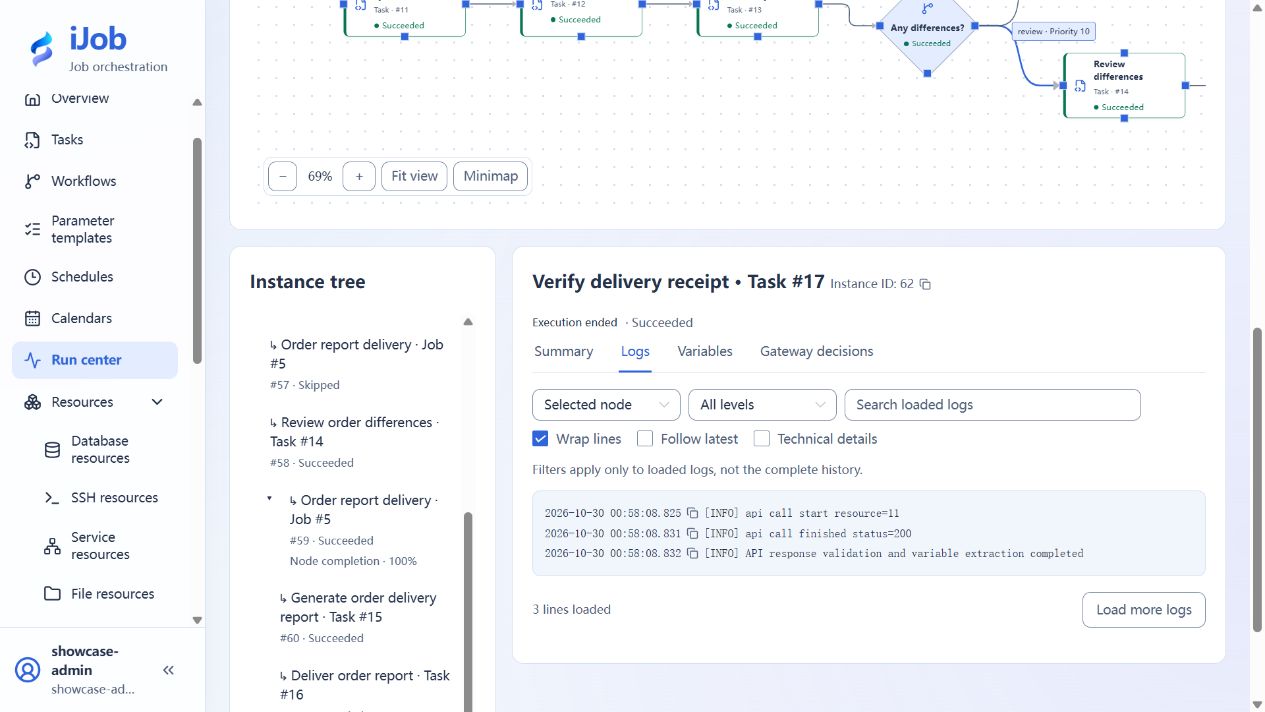
Compare the business date, receipt logs and extracted outputs from the same run.
Verify the business result
The delivered CSV contains 12 rows totaling 7,800. The receiver reads the file before issuing its receipt.
BUILT AROUND YOUR WORK
Start with the work you need to do.
Each scenario connects to instructions, examples and result checks.
01 / Data sync
Deliver orders that pass the checks.
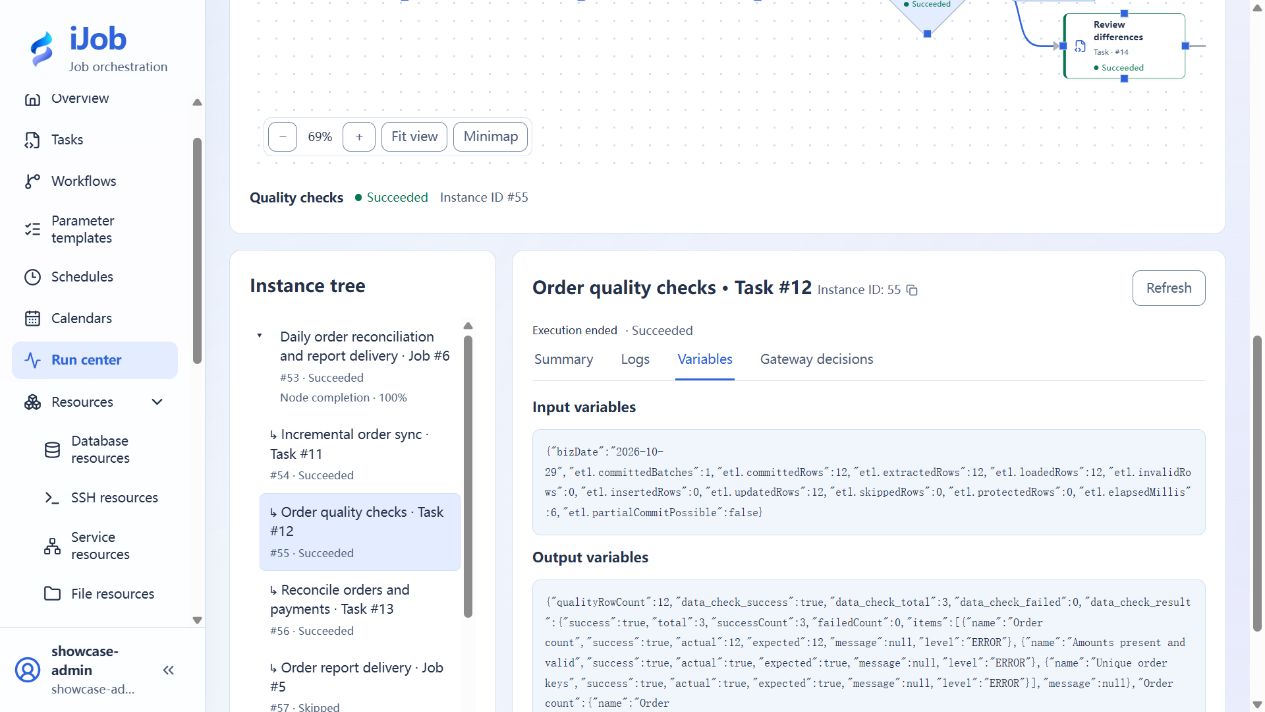
Read new order IDs, check row count, amounts and keys, then reconcile payments. Failed checks block delivery.
02 / Integration
Follow a batch from API to receipt.
Read batch metadata, generate and deliver a CSV, then validate the receiver’s rows and total.
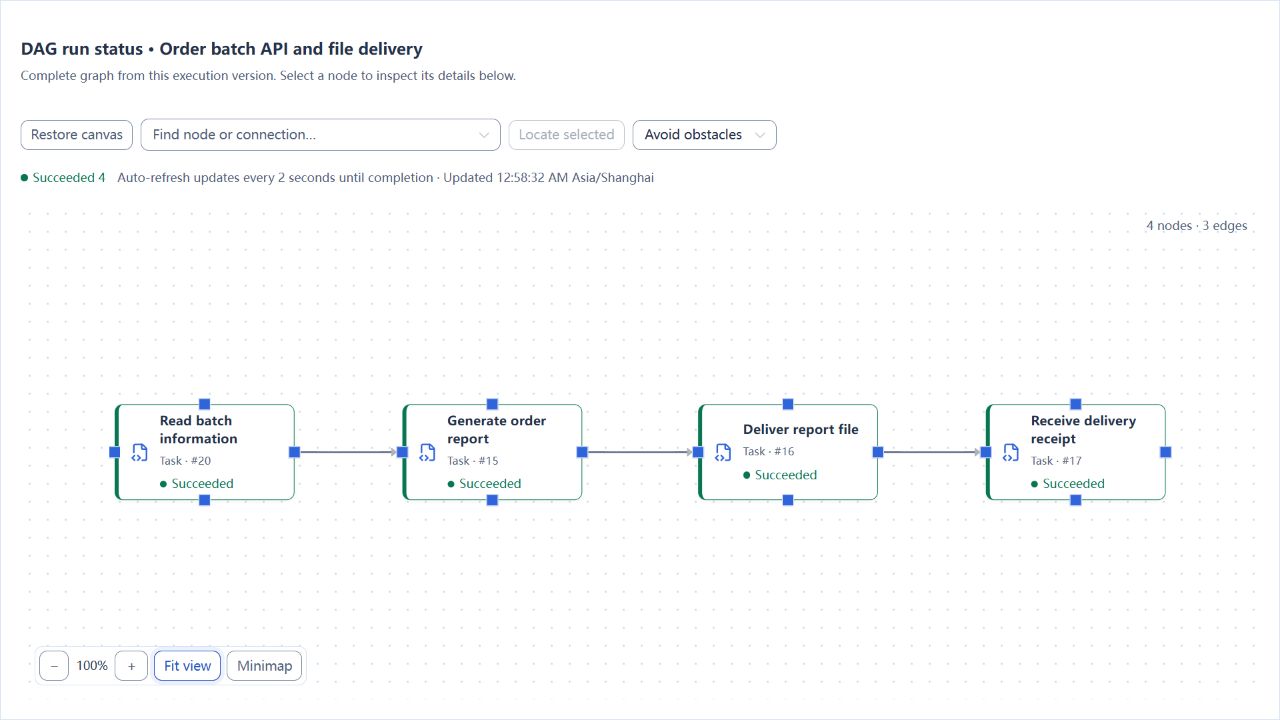
4 successful nodes · Match file contents to the receipt
03 / Flow control
Pause for review when amounts differ.
One order has a difference of 100. Approval resumes delivery in the original instance; it does not remove the original difference.
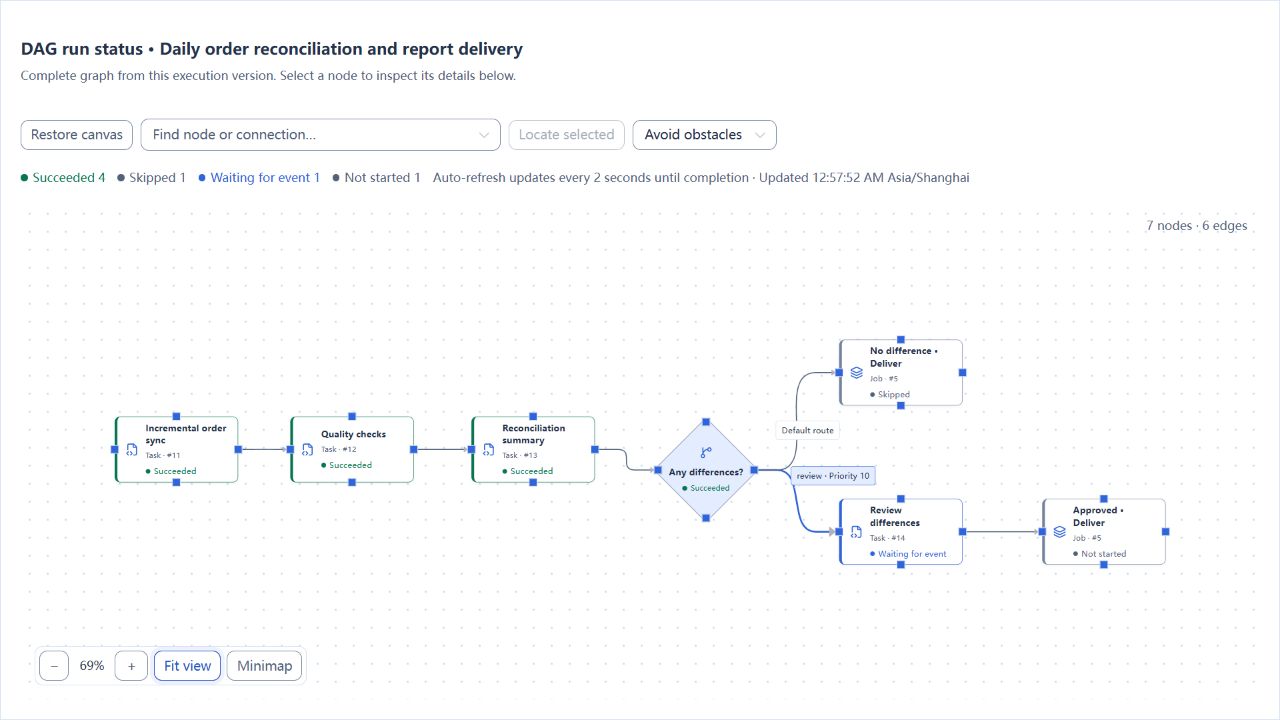
No delivered file while waiting for approval
04 / Operations
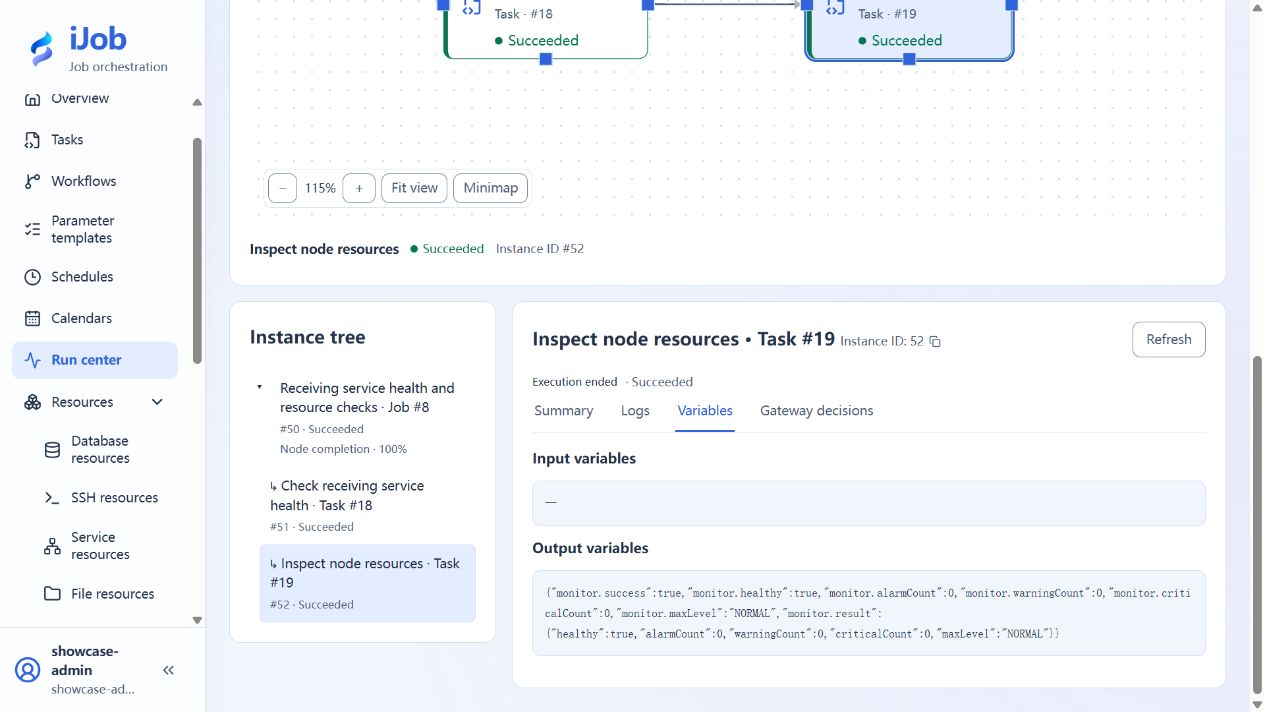
Check the service and its worker.
A script checks the receiver’s health endpoint, then the monitor plugin inspects the node’s CPU, memory and disk.
GET STARTED
Your first task starts here.
Run in your environment. Expand as needed.
Start with a single instance. Explore platform databases, node responsibilities and cluster configuration in the manual. Plugins require their own resources and permissions.