Query orders and add a data quality gate
Query three orders and use a scalar check to detect an unexpected row count.
Audience and outcome
For authors who need a business count and a quality gate, with scalar outputs and a separate failing dataset.
Before you start
Complete the shared preparation, then prepare the resources below.
| Resource | Requirement |
|---|---|
| Business database | A separate PostgreSQL business database. The setup identity needs CREATE/INSERT; iJob query/check accounts only need to read the tutorial tables. Do not use the platform database. |
Configuration
| Field / setting | Example value |
|---|---|
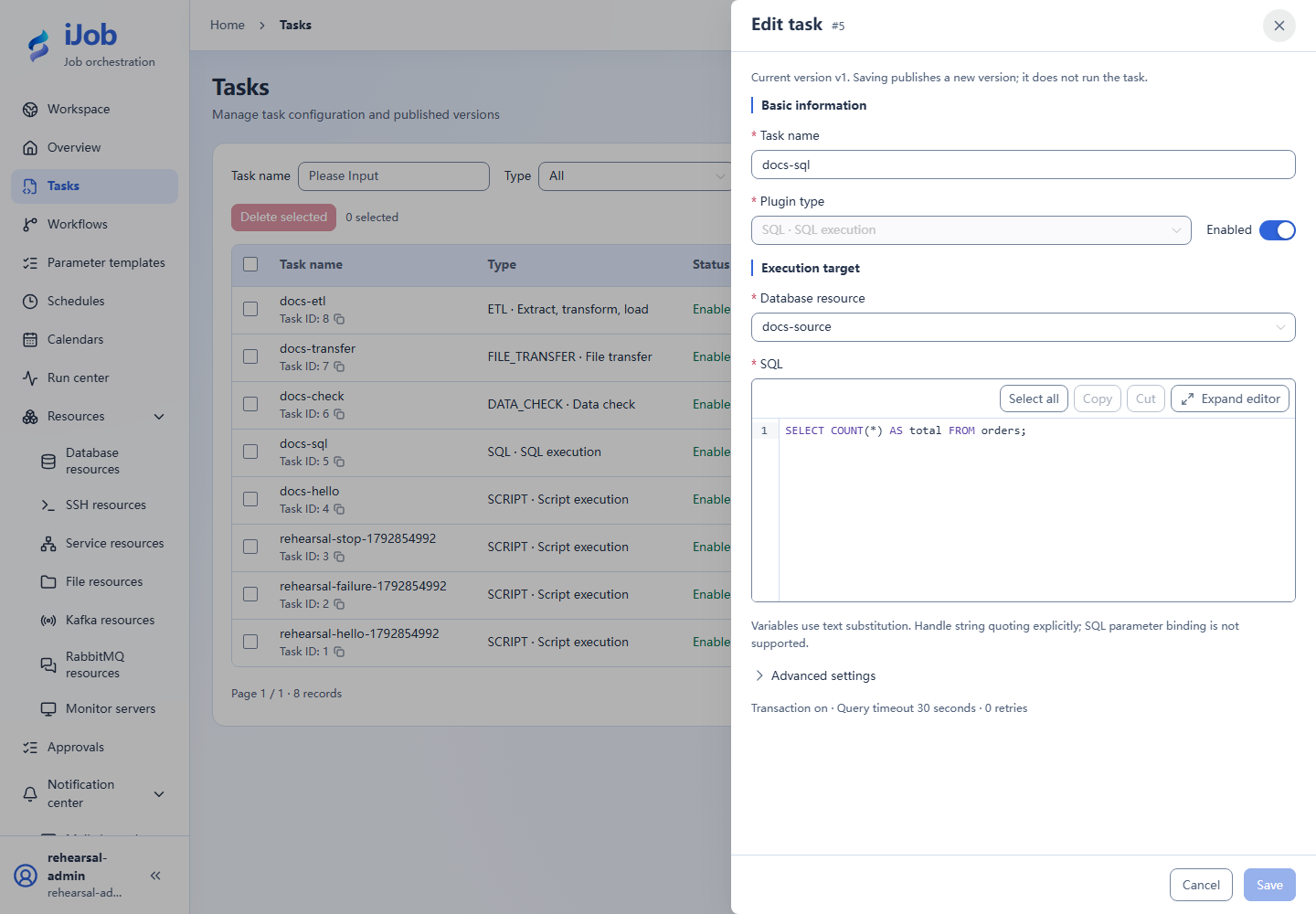
| SQL task | SELECT COUNT(*) AS total FROM orders; output ordersResult; query timeout 30 seconds |
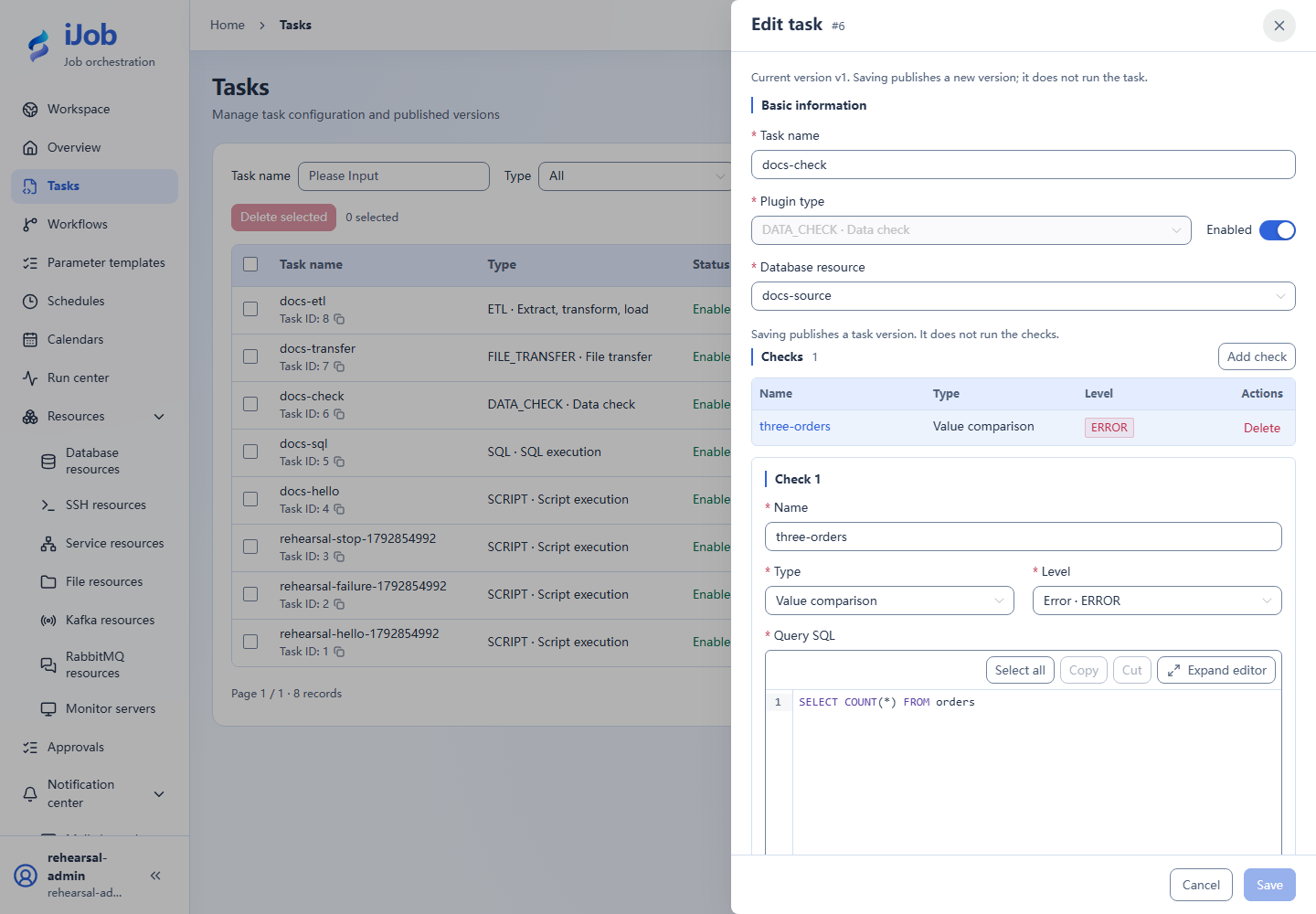
| Check task | SELECT COUNT(*) FROM orders; NORMAL / EQ / numeric 3 / ERROR |
Steps
1. Create three orders
Use the setup identity to run this SQL in an empty business database, not the read-only task account:
CREATE TABLE orders(id INTEGER PRIMARY KEY, amount INTEGER NOT NULL, updated_at TIMESTAMP NOT NULL);
INSERT INTO orders VALUES
(1,100,TIMESTAMP '2026-01-01 00:00:00'),
(2,200,TIMESTAMP '2026-01-02 00:00:00'),
(3,300,TIMESTAMP '2026-01-03 00:00:00');
Grant SELECT on orders to iJob’s query account, then create and test the database resource.
2. Save and run the query
Create a SQL task using the resource and read-only query in the table. Save and run, then inspect output variable ordersResult: its value is numeric 3. A one-column query publishes a scalar; the alias total does not wrap it in an object.
3. Configure a scalar check
Create a DATA_CHECK task for the same resource. Add an “Order count” check with NORMAL scalar comparison, EQ, numeric expected value 3 and ERROR severity. Save/run and inspect actual value 3 plus SUCCESS.
4. Check a failing dataset
Use the setup identity to create a separate failing table in this tutorial database, then grant SELECT on it to iJob’s query account:
CREATE TABLE orders_short AS SELECT * FROM orders WHERE id <= 2;
Create a differently named check task with the same settings, changing only the query to SELECT COUNT(*) FROM orders_short. Expect FAILED with actual value 2; the original orders stays unchanged.
5. Optional: connect downstream work
Connect the check to a harmless SCRIPT in a job, using ALL_SUCCESS and STOP. Run with passing and failing checks and confirm no downstream execution on failure. Check this new job independently of individual task results.
Expected results
| Check | Expected value |
|---|---|
| Passing query/check | ordersResult=3 (numeric), scalar check value 3, SUCCESS |
| Two-row variant | Actual value 2, FAILED check, original table still has 3 rows |
Common failures
| Symptom | Action |
|---|---|
| Wrong check type | SQL COUNT(*) returns one scalar; use NORMAL, not COUNT of result-set rows. |
Safety and cleanup
After confirming no other use, remove tutorial orders_short and practice tasks; retain or remove orders according to tutorial ownership.
Version and limitations
Applies to 1.0.0 PostgreSQL scalar queries and NORMAL checks. The two-row failure copy leaves the original three orders intact. Downstream wiring and JDBC query timeouts are separate extensions; timeout status is driver-dependent.
Interface reference
These are actual interface references for this capability. Names and instance IDs may differ from your run; follow the steps and expected results for extensions.